
Have you ever had a vision for a product or an internal tool, but felt sidelined because you couldn't write the code to build it? Me too.
For years, the barrier between a product manager's "what" and an engineer's "how" has been defined by technical syntax and programming languages. But that barrier is finally crumbling.
In this article, you'll discover how vibe coding is empowering PMs to build their own prototypes and testing tools. I’ll walk you through how I built a complex API testing tool in just eight hours with zero coding experience, and show you the exact framework you can use to start building today.
By the end of this piece, you'll understand the core tools available, the best practices for steering AI, and why leaning into the vibes might just be the most productive thing you do all week.
What exactly is vibe coding?
Vibe coding is a technique where you rely entirely on AI to generate code on your behalf. Instead of worrying about syntax, loops, or library dependencies, you describe the outcome you want in natural language. The AI essentially translates your vision and intent into functional software.
At Shopify, we use this approach all the time. It’s perfect for creating prototypes when you’re talking to designers and engineers and want something physical to point to rather than just words. It’s also incredibly useful for building internal tools where the code quality doesn't need to be production-grade, but the functionality needs to be real.
It’s not too late to start vibe coding
Before we go further, let me address something important. Vibe coding is showing up everywhere – including in interview processes at companies like Shopify. But if you haven't tried it yet, don’t worry – you're not behind. I've been working as an AI PM for about five years, and I only started vibe coding in earnest last year.
The learning curve is gentler than you might expect. The skills you already have as a product manager will serve you well. You know how to break down complex problems, communicate requirements clearly, and iterate based on feedback. Those are exactly the skills that make vibe coding work.
For expert advice like this straight to your inbox twice a month, sign up for Pro+ membership.
You'll also get access to 10 certifications, a complimentary Summit ticket, and 100+ tried-and-true templates.
So, what are you waiting for?
Choosing your vibe coding toolkit
To start vibe coding, there are a few different paths you can take. My personal preference is using AI-first code editors like Cursor. These tools look like a typical developer console but feature an embedded AI agent. You simply tell the chatbot, "I want to create a prototype that does X," and off it goes.
Alternatively, you can use AI coding assistants like GitHub Copilot or Claude. These are great if you already have some coding knowledge but need help getting over specific hurdles or finishing complex snippets. For the non-technical PM, however, an integrated editor like Cursor is often the most accessible entry point.
How I built an internal tool in eight hours
Let me explain the pickle I found myself in that pushed me into vibe coding. I work on Shopify’s search team, where we build search APIs for partners' agentic commerce experiences. Tools like ChatGPT and Perplexity call our search API to return products for discovery and checkout within their own interfaces.
We were quickly releasing a lot of new functionalities, but we didn't own the final UX implementation. Our partners kept asking for quick iterations and new features. The challenge? With a complex API, tiny interaction patterns can create weird, broken experiences, but you only notice these issues through extensive testing.
We didn’t have the right testing tools to debug errors or understand specific interaction patterns. I needed something that would let me enter search queries, see actual results, click through to product details, interact with variants like color and size, and view offers across our merchant base.
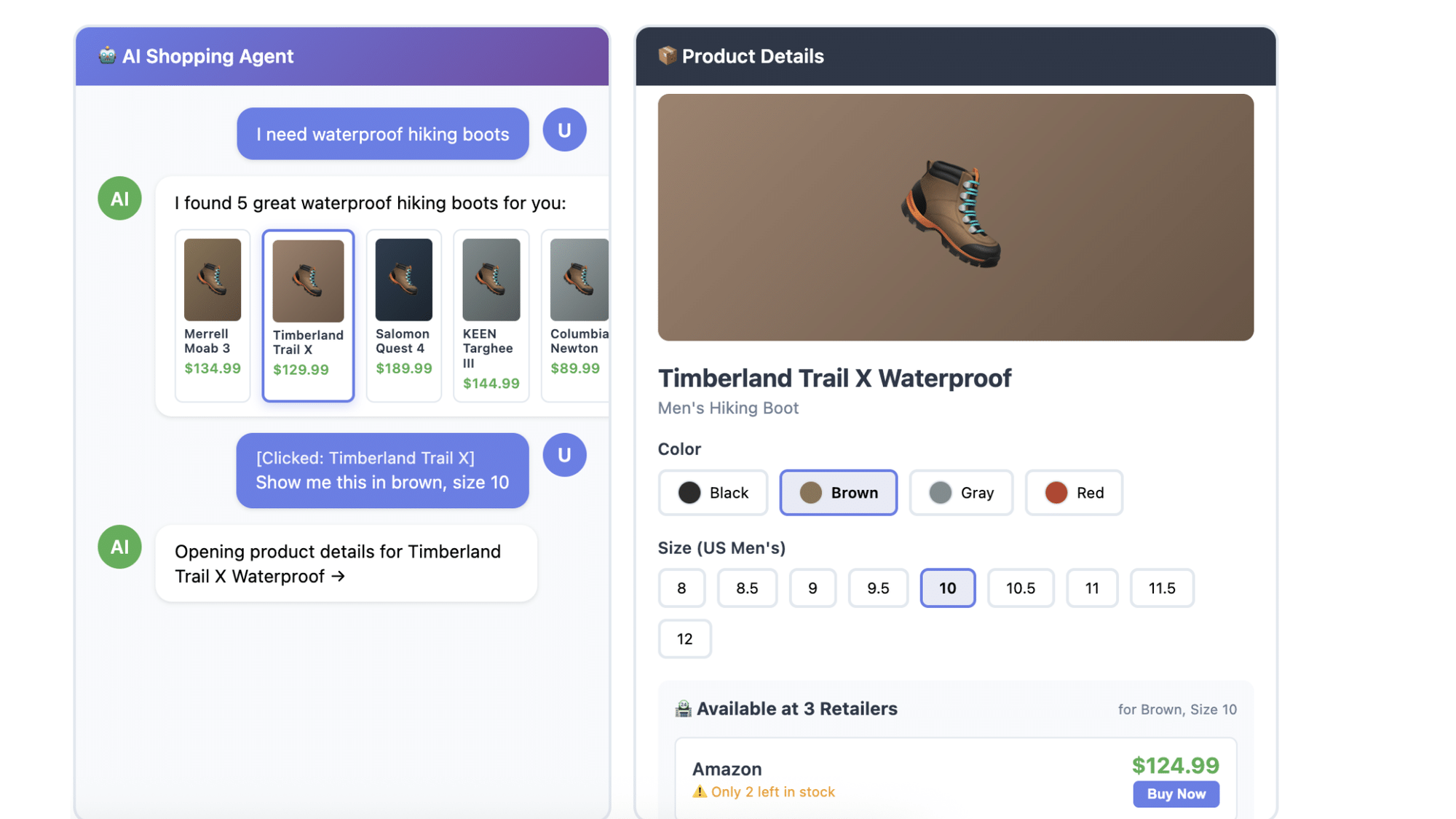
So, one weekend, I decided to build it myself.
How I got started
My first move was messaging an engineer on my team. I planned to hook directly into our production API and wanted to make sure I wouldn't break everything. His response was reassuring: go crazy, do whatever you want. Then he added a tip that proved invaluable: "Tell Claude to use Alpine, Tailwind, and Daisy UI."
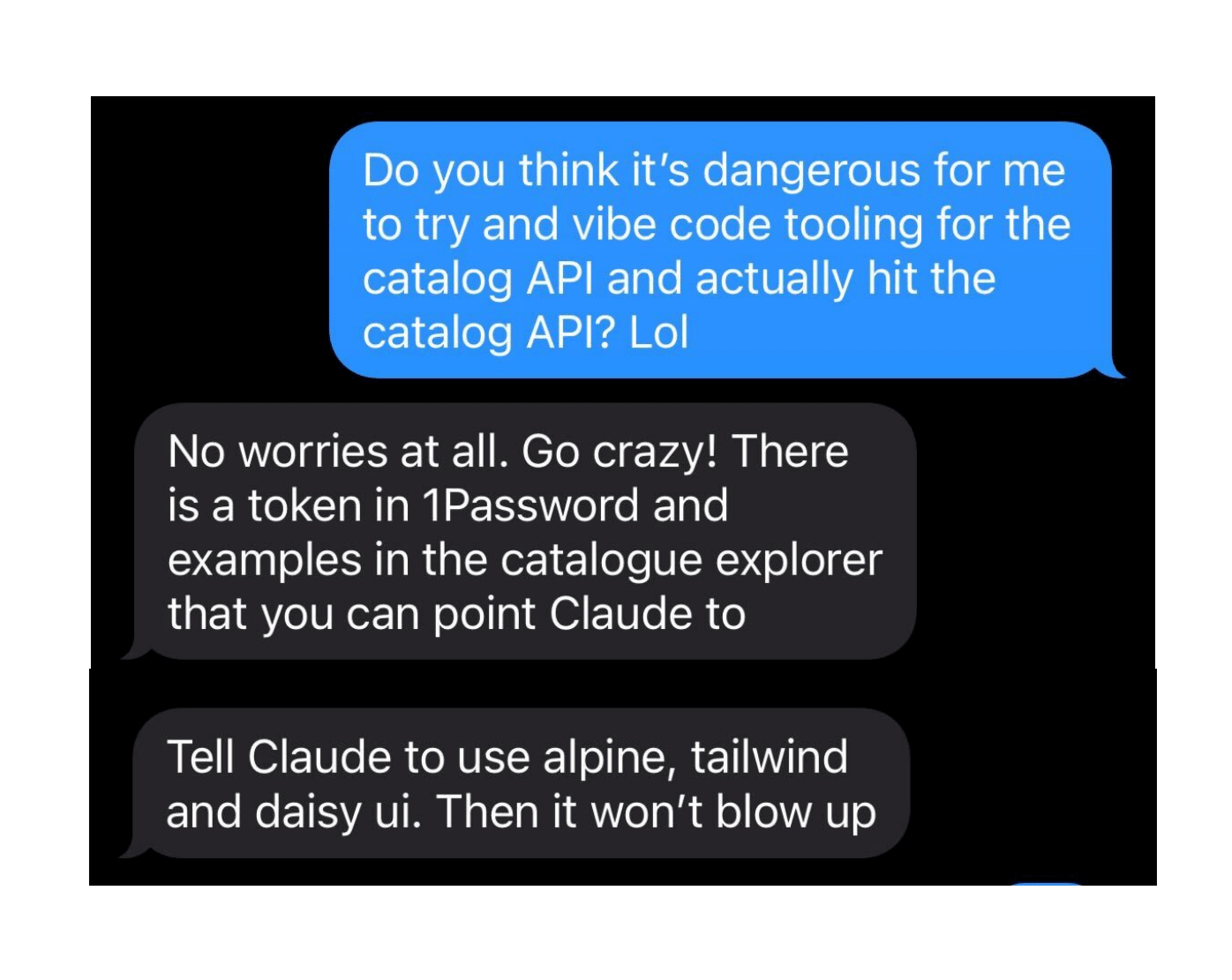
These tools handle visual design and interactions automatically, so you don’t have to worry about telling your AI agent how buttons should look or where spacing should go. Instead, you can focus on core workflows and overall vision while these libraries handle the aesthetics.
There are plenty of similar options out there. These happened to work well for my use case, but you might find others that suit your preferences better. The key is picking something that takes design decisions off your plate so you can focus on functionality.
The eight-hour (not twenty-minute) vibe-coding journey
Here's where I need to dispel a myth about vibe coding. You know those stories where someone says they built something amazing in twenty minutes? That's not really how it works.


Become a PLA Insider
Thank you for subscribing
Get exclusive insights, frameworks, and strategies from product leaders driving real business impact.
An email has been successfully sent to confirm your subscription.
 Follow us on LinkedIn